Utter vs SpeakMac: Offline Dictation and One-Time Pricing
Compare SpeakMac's local Mac dictation and license terms with Utter's local, BYOK and Mac/iPhone voice workflows.
Updated
TL;DR
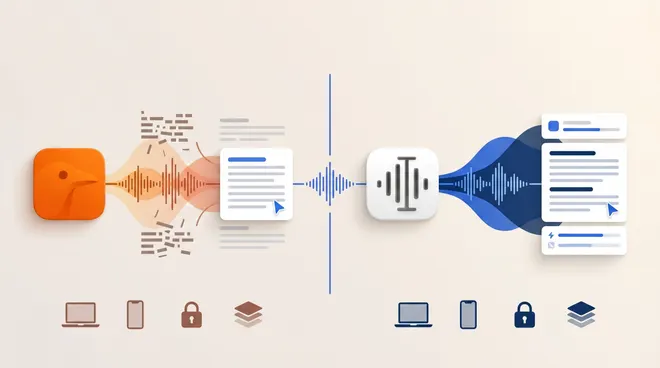
Choose SpeakMac when your priority is a straightforward local Mac dictation purchase. Shortlist Utter when you need an Apple-device workflow with explicit choices for local transcription, AI processing and your own providers. Neither is the best choice for every recording or writing task.
This is a source-based editorial comparison published by Utter, a competing product. It is not a hands-on benchmark, and no accuracy or speed winner is implied.
SpeakMac pricing: lifetime use is not lifetime updates
SpeakMac’s license and update entitlement should be read separately. Keeping the version you bought is not the same promise as receiving future updates indefinitely. That distinction matters when budgeting for future macOS changes.
| Question | SpeakMac |
|---|---|
| Pricing checked August 31, 2026 | Personal $29 once for one Mac; the purchase includes twelve months of updates, with the purchased version continuing to work. |
| Platform scope | Mac; the site lists Intel and Apple Silicon support. |
| Processing and privacy | The vendor says dictated audio and transcript text stay on the Mac. |
Source: Official product information. Prices and availability can change; verify the purchase screen for your region.
What the price does not tell you
A useful cost comparison includes the route you will actually use: app license, subscription, provider charges and required hardware. A free trial is a way to evaluate that route, not a promise of unlimited free service.
Utter offers free local and BYOK routes plus paid Pro service; see the current Utter pricing and free setup guide. With BYOK, the external provider may still charge you. Local models need a compatible device and an initial download.
Where Utter fits in this comparison
Utter combines writing at the cursor with reusable voice history, files and meeting transcripts on Mac and iPhone. Its introduction explains the supported workflows. It is worth evaluating if the job continues after the first transcript: cleaning up a message, finding an earlier recording or exporting text for another tool.
That is a fit recommendation, not proof that SpeakMac lacks those features. Compare the exact task you do most often, rather than counting feature names.
For sensitive material, use the Utter offline setup. Speech recognition and AI cleanup are separate steps: selecting a local speech model does not make a cloud cleanup provider local. Disable connected processing or select a supported local route, and review sync and history settings separately. BYOK gives provider control; it is not a synonym for offline.
Utter is not the right answer to a Windows-only or Linux-only requirement. Its local processing also takes setup, storage and device resources. Choose a supported tool for your actual computer before comparing secondary features.
A practical comparison test
On your Mac, dictate into the apps you actually use and check punctuation and shortcut behavior. Run the test offline after setup, then inspect the app’s local history and deletion options.
Keep a copy of the intended wording and compare:
- Meaning: Did a negation, name, number or promise change?
- Correction effort: How much editing is needed before you would send it?
- App behavior: Does the text land in the intended field without losing your selection?
- Data route: Which steps work without a network, and where is history kept?
- Handoff: Can you retrieve or export the result in the form your next task needs?
For a reusable scoring worksheet, use how to evaluate dictation software. These are suggested tests for the reader, not results from a test performed for this article.
Buyer-fit decision
| Your requirement | Useful next step |
|---|---|
| a straightforward local Mac dictation purchase | Trial SpeakMac against the specific task above |
| Apple-device writing plus reusable transcripts | Evaluate Utter’s dictation and history workflow |
| Strict offline operation | Verify every processing step on your hardware |
| Meeting records or audio files | Test speaker editing, retention and exports separately from dictation |
This comparison covers speakmac.app. It does not promise ongoing OS compatibility after the included update period or infer iPhone support from the Mac product.
FAQ
Is SpeakMac more accurate than Utter?
No controlled comparison is presented here. Try the same wording, microphone and environment, and judge the final corrected text. A vendor’s headline benchmark is not a result for your voice or specialist vocabulary.
Which app should privacy-sensitive users choose?
Choose by the configured processing route and your requirements, not by the word “private.” Offline processing, cloud retention, model training and local history are separate questions. Verify each before using confidential content.
What should someone switching apps move first?
Start with a short vocabulary list, a preferred shortcut and a sample output format. Recreate them in the new app and test before moving routine work. Do not assume settings or transcript databases import directly.
Related comparisons and methodology
Compare the broader shortlist in Best Dictation Software 2026 and see dictation versus meeting transcription when the main task is recording a conversation.
Official product, pricing and documentation pages linked above were checked August 31, 2026. Feature availability and privacy statements are attributed to the vendors; uncertain features are not scored as missing. No customer quotes, synthetic test results or competitor-authored comparison claims are used as evidence.
Published by Utter, the product discussed on this site. Comparisons reflect our perspective as its maker, not an independent testing organization. Check linked product documentation for current pricing and availability. Send a correction.