Best Dictation Software 2026: 10 Options by Workflow
Compare dictation apps for Mac, Windows and mobile by price, offline setup, writing modes and workflow fit. Includes direct head-to-head guides.
Updated
TL;DR: choose by the writing job
The best dictation software is the one that produces usable text in your actual apps, on your device, with a processing route you accept. This shortlist compares Apple-focused tools, cross-platform apps, built-in baselines and a developer engine. It does not claim a measured accuracy winner.
Utter publishes this guide and competes with several products below. Recommendations are editorial judgments from official documentation, not independent rankings or hands-on benchmark results.
What is dictation software?
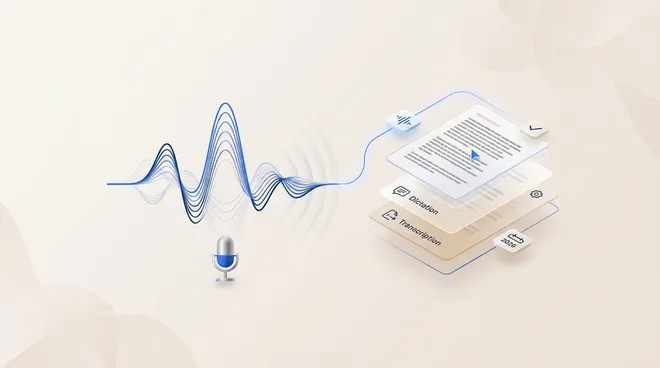
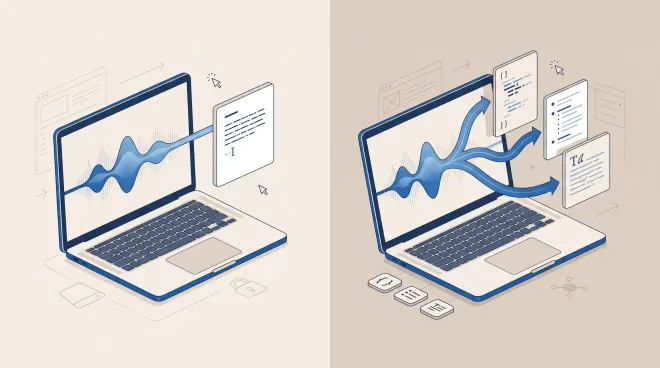
Dictation software turns speech into text while you write. The everyday workflow is a shortcut or microphone button followed by text at the cursor. AI-enabled tools may rewrite that transcript, while meeting products organize a conversation for later review.
These tasks overlap but are not interchangeable. A polished summary does not prove good text insertion, and fast insertion does not establish accurate speaker labels. Read dictation versus meeting transcription if you need a recording workflow.
Utter, Wispr Flow, Superwhisper, Willow or Aqua Voice?
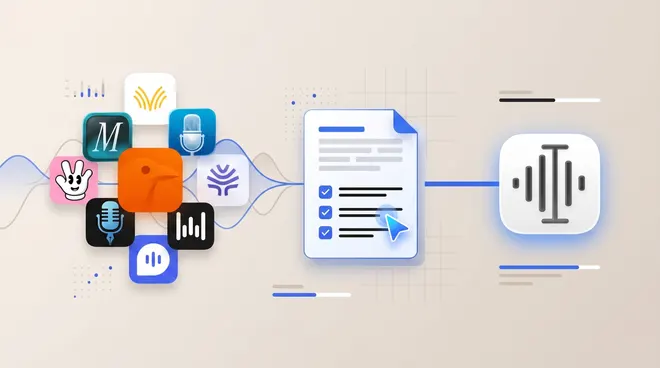
For an everyday writing app, narrow the choice by devices, processing control and the kind of output you want. This is a workflow shortlist, not a measured accuracy ranking.
| App | Reason to shortlist it | Check before choosing |
|---|---|---|
| Utter | Mac/iPhone writing plus reusable transcripts, local and BYOK choices | Hardware, model downloads and separate AI cleanup settings; no Windows or Android app |
| Wispr Flow | Dictation across Mac, Windows, iOS and Android, with team controls | Feature parity; its Notetaker is a separate Mac rollout |
| Superwhisper | Separate voice and AI models with configurable output modes | Installed-version model access and plan entitlements; official free-model descriptions conflict |
| Willow Voice | Writing personalization, dictionary and team rollout | Offline support on the exact device and the settings an administrator can control |
| Aqua Voice | Realtime, screen-aware writing on Mac, Windows and iOS | Internet is required; Realtime Mode is listed under Max, not Pro |
Wispr Flow vs Superwhisper vs Willow: start with Wispr if Android availability is essential; investigate Superwhisper if choosing separate recognition and rewriting models is central; trial Willow if remembered writing preferences and team controls are the priority. These recommendations follow the documented workflows, not evidence that one produces better text. Verify the relevant plan and device in each detailed section below.
If your shortlist also includes MacWhisper, VoiceInk or SpeakMac, separate the recording job from the writing job. MacWhisper’s file, speaker and export features deserve a file-first trial. For live Mac dictation, use VoiceInk vs SpeakMac to compare source access, local setup and update entitlements. Those are different reasons to choose an app than Wispr’s device coverage or Superwhisper’s model controls.
Apple Dictation and Windows Voice Typing provide built-in baselines, while whisper.cpp is a developer engine rather than a ready-made dictation app.
The dictation shortlist
1. Utter: Apple-device writing and reusable transcripts
Utter combines text input with AI modes, voice history, files and meeting transcripts on Mac and iPhone. It is worth evaluating when spoken input needs to become both a message now and reusable material later.
The useful distinction is the explicit local setup and BYOK configuration. These are different routes. A cloud provider accessed through your own key may charge you and process your content remotely. For offline use, both recognition and optional AI cleanup must use a supported local route.
A practical example is a rough project update. Dictate the facts into a note, apply a mode that formats them as a short message, and check the result before sending. Names, deadlines and negations deserve review even when the output reads fluently.
Utter has free routes and paid Pro service; consult current pricing before subscribing. It is not the right choice for a Windows-only or Android-only requirement. Local models also require compatible hardware, a download and setup effort. Start with the free usage overview if you want to evaluate before paying.
2. Wispr Flow: cross-platform dictation and shared team controls
Wispr Flow now lists a Mac Notetaker with speaker identification and meeting questions. It is no longer accurate to contrast it with Utter as dictation versus meetings. The practical difference is which capture, storage, editing and model-routing workflow suits your devices.
Price and scope: Pro $15/user/month, or $12/user/month billed annually; free usage limits vary by platform. Dictation: Mac, Windows, iOS and Android. Notetaker: Mac, with a gradual rollout. Official information, checked August 31, 2026.
Decision check: Try the dictation shortcut on every device you need. If meeting notes are part of the purchase, confirm the Notetaker is enabled for your account, record a consented sample and inspect speaker labels and retention settings.
The Notetaker is listed for Mac, while dictation has broader availability. Do not infer feature parity from the platform logos. For a meeting-first decision, read Wispr Flow vs Otter instead of relying on an older dictation-only description. For a deeper writing-workflow comparison, read Utter vs Wispr Flow.
3. Superwhisper: configurable voice and AI modes across desktop platforms
Superwhisper modes expose separate voice processing and AI processing choices. This makes it a serious alternative for people who want to tune transcription and rewriting separately, not merely a basic hotkey tool. Its documentation also covers file transcription, history and meeting modes.
Price and scope: Pro: $8.49/month, $84.99/year or $249.99 once; free tier available. Mac, Windows, iPhone and iPad. Official information, checked August 31, 2026.
Decision check: Create a verbatim mode and an email mode. Use the same rough message in both, then check whether the email version changes a date or commitment. Repeat using local models and without networking.
The homepage advertises free small models while the Pro documentation marks local voice models as Pro. These official descriptions are not fully aligned. Check which models are unlocked in the current installed version; this comparison does not claim all local models require payment. For a deeper comparison, read Utter vs Superwhisper. If you only need a free local dictation baseline, compare Handy vs Superwhisper before paying for configuration features.
4. Willow Voice: writing-style personalization and team rollout
Willow advertises formatting, a remembered dictionary, reusable shortcuts and offline mode. It should not be described as cloud-only. For a team, compare shared controls and the exact offline setup alongside the writing experience, rather than treating privacy as a simple brand-level yes or no.
Price and scope: Free Basic; Pro displayed at $15/month or $12/month on annual billing. Mac, Windows and iPhone. Official information, checked August 31, 2026.
Decision check: Ask each teammate to dictate a name, product term and standard reply. Check which corrections persist and which settings the administrator can control. Test offline on the actual platform used at work.
A homepage offline claim does not establish parity across every device or feature. Confirm the supported configuration with Willow before using sensitive material, and review the policy for any connected processing. For a deeper comparison, read Utter vs Willow Voice.
5. Aqua Voice: realtime writing and screen-aware formatting
Aqua’s current plan table separates ordinary dictation from Realtime Mode, which is listed under Max. That matters if seeing words while speaking is the feature you are buying: do not assume the entry Pro plan includes the same experience.
Price and scope: Starter includes 1,000 free words. Pro is $10/month on monthly billing or $96/year ($8/month equivalent). Max is $30/month or $288/year ($24/month equivalent). USD list prices; confirm tax at checkout. Mac, Windows and iOS. Pricing checked September 9, 2026.
Decision check: Dictate a technical update with a package name, a file path and a correction halfway through. Watch whether intermediate text helps you think or distracts you. Then compare the final text, not just how soon the first word appears.
Aqua’s official FAQ says the app is cloud-based and requires an internet connection. Privacy Mode is a retention control, not offline recognition. Its advertised speed and accuracy figures are vendor benchmarks, not independent results from Utter. For the full billing table and offline explanation, read Utter vs Aqua Voice.
6. MacWhisper: audio files, recordings and transcript exports alongside dictation
MacWhisper explicitly advertises dictation into other apps as well as file transcription and bot-free meeting recording. Calling it a file-only tool would miss part of the product. Its stronger reason to enter a shortlist is the surrounding media workflow: batch files, speaker handling and export choices.
Price and scope: Free version; Pro website lists €64 per license with lifetime updates. Free includes microphone/file transcription and SRT, VTT and TXT export. The comparison table places automatic speaker recognition, batch transcription and additional document formats in Pro. Mac app covered here; check separate mobile listings and licenses independently. Price and feature table checked September 9, 2026.
Decision check: Import a representative recording with multiple speakers. Correct a speaker label, find an ambiguous passage and export the format your editor needs. Then dictate a short message into your normal app to assess the separate live-writing task.
A website Mac license should not be assumed to cover every App Store product or device. Check regional tax, purchase channel and upgrade terms. This source-based review does not measure transcription accuracy or claim Utter produces better transcripts. For a deeper comparison, read Utter vs MacWhisper.
7. VoiceInk: open-source Mac dictation and app-specific configuration
This comparison covers VoiceInk by Beingpax, linked from tryvoiceink.com and its GitHub repository. It does not cover similarly named voice-ink.com products. Source access and a one-time Mac license are concrete reasons to shortlist it, particularly when you want to inspect or build the app.
Price and scope: Solo starts at $29 for one Mac with lifetime access and updates; other device tiers available. macOS for the VoiceInk product covered here. Official information, checked August 31, 2026.
Decision check: Try a recurring work phrase in a browser and an editor. Configure the relevant mode, then check whether the next dictation uses the expected formatting. Disable optional cloud processing before testing offline.
A paid downloadable build and an open-source repository are different things. Building from source needs development tools and maintenance effort. Do not assume this Mac license includes an iPhone product or a subscription advertised by a similarly named service. For a deeper comparison, read Utter vs VoiceInk.
8. Apple Dictation: the built-in Mac baseline
Apple Dictation is worth trying before adding another app. It provides an immediate comparison for basic text entry and punctuation. Check language and device behavior in Apple’s documentation rather than assuming every Mac configuration is identical.
The reason to move beyond a built-in tool should be a task it does not handle well for you: perhaps a particular format, correction workflow or transcript archive. First establish how much editing your normal paragraph needs. A third-party subscription is not automatically a productivity improvement.
9. Windows Voice Typing: start with the supported PC workflow
Microsoft documents Windows Voice Typing as online speech recognition. It is a sensible built-in baseline for a Windows buyer. Keep the recognition path distinct from additional on-device editing features on supported PCs.
Try a real email and an editor field before installing a separate tool. Check punctuation, language selection and how you recover an incorrect phrase. Buyers requiring disconnected recognition should choose a documented offline route rather than infer one from the operating system being installed locally.
10. whisper.cpp: an engine for technical users, not a turnkey app
whisper.cpp is an implementation of Whisper for running speech recognition across supported environments. It belongs here as a build-your-own option, not as an equivalent ready-made desktop experience.
The engineering work around recognition still matters: microphone capture, shortcut handling, model distribution, text insertion, history and updates. Choose it when control over that pipeline is the goal. Choose an application when you want to dictate without maintaining the surrounding software.
Exact head-to-head comparisons
If you already know the pair you are considering, use the focused guide:
- Handy vs Superwhisper compares free local dictation with configurable modes.
- Wispr Flow vs Otter covers dictation and the current meeting-note overlap.
- VoiceInk vs SpeakMac compares private Mac dictation and update entitlements.
These pages answer the pair-specific questions in more depth than a short listicle section.
Direct Utter comparisons
| Product | Guide | Decision to investigate |
|---|---|---|
| Aqua Voice | Utter vs Aqua Voice | realtime writing and screen-aware formatting |
| Superwhisper | Utter vs Superwhisper | configurable voice and AI modes across desktop platforms |
| VoiceInk | Utter vs VoiceInk | open-source Mac dictation and app-specific configuration |
| MacWhisper | Utter vs MacWhisper | audio files, recordings and transcript exports alongside dictation |
| Handy | Utter vs Handy | free desktop speech-to-text with source access |
| BetterDictation | Utter vs BetterDictation | a paid local Mac transcription license with optional cloud cleanup |
| Wispr Flow | Utter vs Wispr Flow | cross-platform dictation and shared team controls |
| Willow Voice | Utter vs Willow Voice | writing-style personalization and team rollout |
| Monologue | Utter vs Monologue | Apple-device dictation, voice notes and bot-free meeting notes |
| SpeakMac | Utter vs SpeakMac | a straightforward local Mac dictation purchase |
| Voibe | Utter vs Voibe | developer-oriented dictation across Mac and Windows |
| Voicy | Utter vs Voicy | desktop voice input across operating systems |
Handy, BetterDictation, SpeakMac, Voibe, Monologue and Voicy remain useful adjacent candidates. They are covered in the linked comparisons rather than expanded into another nearly identical list. The table is not exhaustive, and omission is not a quality judgment.
Hands-on test protocol: measure usable text
This is a test you can run, not a claim that the products above were benchmarked for this guide.
- Pick a normal email, a technical note and a message with a deliberate correction.
- Use the same microphone and environment for every app.
- Record latency until the text is ready to use, including correction effort.
- Check app compatibility in both a browser field and a native editor.
- Test terminology such as names, identifiers and product words.
- Check privacy settings and repeat the intended offline route without networking.
- Save or export the output and confirm it supports the next step of your work.
Reject an output that changes meaning even if its grammar improves. A missing “not” is more consequential than a misplaced comma. The full evaluator guide includes a scoring worksheet for this process.
A rewriting-mode exercise you can reproduce
Use the same spoken message in a transcription-only mode and a custom writing mode. Utter’s Modes guide documents separate output instructions and mode shortcuts. Superwhisper’s Modes documentation likewise separates voice and AI processing. Check other apps for the equivalent controls instead of assuming every product exposes the same settings.
Input to dictate: “Tell Alex the migration is not approved yet. We need the backup checked by Thursday, not Tuesday. Ask whether they can review it.”
Custom mode instruction: “Format a short email. Preserve names, deadlines, negations and uncertainty. Do not add commitments or facts. Output only the email.”
Illustrative target output—not a recorded app result:
Hi Alex,
The migration is not approved yet. We need the backup checked by Thursday, not Tuesday. Can you review it?
In Utter, create a mode from the + next to Modes, enter the instructions, then select that mode before finishing the dictation. Save your actual output alongside the transcription-only result. Check all three facts: approval is still pending, Thursday is the deadline and review is a request, not a promise.
Record the app version, speech model, AI model, settings and corrections you made. If offline use matters, download the required local models and repeat without networking. This exercise demonstrates the evaluation method; it does not claim that any app produced the example or passed the test.
A small-team trial: two to ten people
Start with one shared vocabulary list and one real writing task per person. Compare the plan’s per-user billing, supported devices, administration, retention settings and export needs. A personal plan price does not establish a shared workspace or centrally enforced privacy settings. Review a consented sample together, including the edits needed before anyone would send it.
Pricing and privacy checks before subscribing
Compare monthly billing with annual commitments explicitly. A monthly equivalent is not a cancel-anytime monthly price. For one-time licenses, separate device count, update entitlement and optional service charges.
Likewise, separate recognition from rewriting, and processing from storage. A tool can transcribe locally and then send text to an AI provider. A cloud service can limit retention without being offline. Read the settings and policy for the route you plan to use.
FAQ
What is the best free dictation software?
Begin with your operating system’s built-in tool or Handy’s free desktop app. Utter also offers local and BYOK routes. Free provider credits and trial allowances are not unlimited service; evaluate their limits separately.
Which app is the most accurate?
No universal winner is established here. The final result depends on your voice, model, noise, microphone and vocabulary. Compare correction effort and meaning preservation with a consistent sample.
Do I need a meeting app instead of a dictation app?
If your main output is a shared conversation record, evaluate recording, speakers, search, retention and exports. If your main output is a message at the cursor, evaluate dictation. Products such as Wispr now span both tasks, but platform and plan details still matter.
Can dictation work completely offline?
Yes, with a supported local configuration and downloaded models. Confirm that optional rewriting also runs locally or is disabled. Check history and sync separately; see Utter’s offline guide for its specific setup.
Methodology and source notes
The broader product, pricing, repository and support review dates to August 31, 2026. Aqua’s billing and offline FAQ, MacWhisper’s Free/Pro table and the Utter mode instructions were reviewed September 9, 2026. Scope includes different buyer contexts rather than a ranked speed contest. No claimed hands-on tests, invented customer quotes or vendor benchmark scores are used to order the shortlist.
Prices and platform availability can change. Conflicting official information, such as Superwhisper’s free-model descriptions, is flagged instead of converted into an unsupported feature comparison. For a buying decision, verify the exact version, plan and purchase channel.
Published by Utter, the product discussed on this site. Comparisons reflect our perspective as its maker, not an independent testing organization. Check linked product documentation for current pricing and availability. Send a correction.