Voice Dictation vs Meeting Transcription: How to Choose the Right Tool (2026)

A practical buyer guide to choose between voice dictation and meeting transcription, with source-backed tool picks and pricing notes.

Updated

Voice Dictation vs Meeting Transcription: How to Choose the Right Tool (2026)

Voice Dictation vs Meeting Transcription: How to Choose the Right Tool

TL;DR

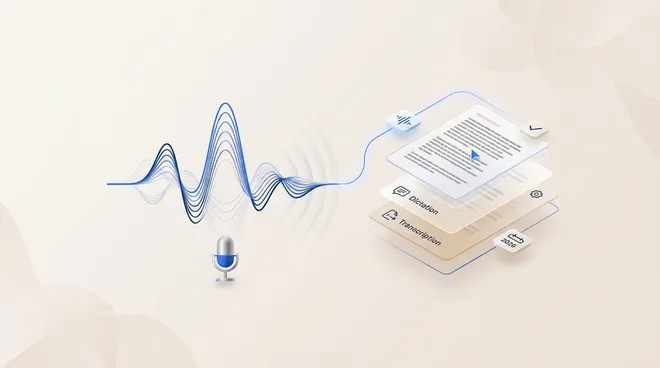
  • This guide compares voice dictation software (single-speaker writing) with AI meeting transcription software (multi-speaker records, summaries, and follow-ups).
  • If the goal is cursor-level writing speed in Slack, docs, and email, start with dictation tools like Superwhisper or Willow.
  • If the goal is searchable records, speaker-attributed notes, and post-meeting actions, start with meeting tools like Tactiq, Notta, Rev, or Convene.
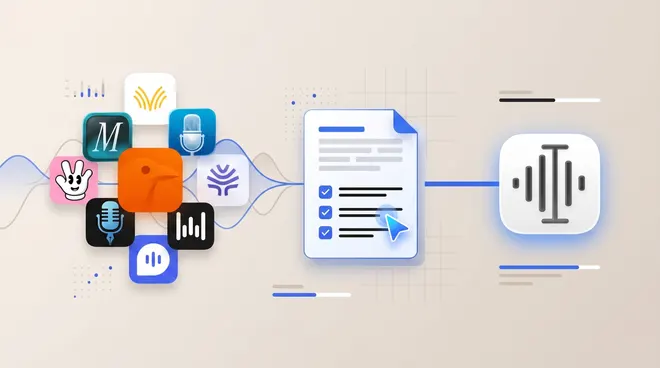
  • If you want one workflow that spans writing and meeting-ready outputs, Utter is positioned across both: dictation, speaker-aware transcripts, and meeting-note/action-item style outputs (Utter docs intro, Speaker labels, Modes, Utter homepage).
  • Most teams need both categories: dictation for daily writing output, transcription for team accountability.

What Is Voice Dictation?

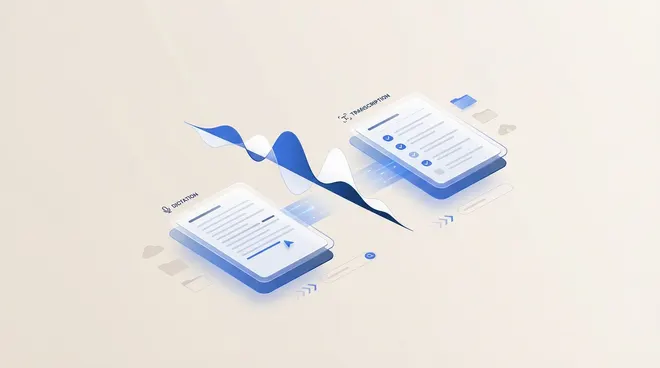
Voice dictation converts spoken input into editable text while someone is writing. The core loop is immediate: speak, see text appear in the active app, then correct and continue.

The category is built for throughput in writing tasks, not meeting records. On Windows, Microsoft positions this as direct “voice typing” input in the current text field (Microsoft voice typing). Apple similarly frames Dictation as text entry for messages and documents on Mac (Apple Dictation).

For privacy-sensitive writing, deployment model matters. Some tools support local/offline paths, while others are cloud-first. For example, Utter documents a local setup path and BYOK configuration options (Use Utter locally, BYOK docs).

What Is Meeting Transcription?

Meeting transcription converts a conversation into a persistent record. Typical outputs include transcript text, speaker attribution, summaries, and action items.

This category optimizes for retrieval and follow-through, not live drafting flow. Tactiq, for example, frames its product around meeting transcripts, summaries, and AI workflows to move insights into other tools (Tactiq homepage, Tactiq integrations).

Some dictation products now cover parts of this workflow as well. Utter, for example, documents speaker-separated transcript editing plus meeting-note/action-item style outputs alongside core dictation features (Speaker labels, Modes, Utter homepage).

In governance-heavy contexts, transcription and minutes may sit inside a broader board workflow. Convene positions meeting minutes and security controls as part of a board portal stack (Convene meeting minutes, Convene security features).

Use-Case Fit Matrix: Dictation vs Transcription

Decision pointIf yes, start with dictationIf yes, start with meeting transcription
Number of speakersOne primary speaker writing live textMultiple speakers in calls/meetings
Primary outputEmail, docs, tickets, chat repliesSearchable record, summary, assigned follow-ups
Where text appearsAt cursor in an active appIn a transcript workspace after/through meeting
Need speaker labelsUsually unnecessaryUsually required
Compliance posturePrefer local/offline paths for sensitive draftingNeed retention controls and auditability for team records

Dictation vs Transcription for Meeting Notes

For meeting notes specifically, the buyer decision is usually this:

  • If the workflow starts as a live conversation and ends as a shared record, start with a meeting transcription product.
  • If the workflow starts as personal drafting and ends as polished text in working apps, start with dictation.
  • If teams need both in one stack, validate whether the dictation product also supports speaker-aware transcript editing and meeting-note style outputs before adding a separate meeting tool.

Best-Fit Workflows for Voice Dictation

  • Daily communication writing: replies in chat, email, docs, and tickets where speed of input matters more than archival metadata.
  • Spec and note drafting: capturing first-pass ideas quickly, then polishing structure and tone.
  • Contextual rewriting: speaking rough notes, then using tool-level formatting and cleanup options (where available).
  • Private drafting requirements: teams that need local/offline processing options for certain workflows.

Best-Fit Workflows for Meeting Transcription

  • Recurring team meetings: shared transcripts prevent disagreement on decisions and ownership.
  • Customer or stakeholder calls: action extraction and summaries reduce manual post-call admin.
  • Interview and research workflows: searchable text with speaker context improves retrieval.
  • Board and governance records: minutes and security controls become first-order requirements.

Accuracy Tradeoffs: AI vs Human Transcription

Most meeting tools are AI-first, which is usually the right default for speed and cost. Human verification is still useful when transcript defensibility matters more than turnaround time.

  • Rev explicitly markets human transcription at 99%+ accuracy and also offers AI transcription for faster turnaround (Rev transcription).
  • For regulated or litigation-adjacent workflows, teams often use AI for first-pass throughput and escalate selected files to human review.

Best Voice Dictation Software (and Hybrid Options)

If your immediate goal is writing speed, this is the shortlist to test first. For a broader dictation-only comparison, see Best Voice Dictation Software (2026).

1) Utter

Utter is positioned as a hybrid option rather than a pure dictation utility: it combines cross-app dictation with transcript workflows that include speaker-separated editing and meeting-note/action-item style outputs (Utter docs intro, Speaker labels, Modes, Utter homepage).

This is the strongest fit for buyers who want one app to handle both daily writing and meeting-ready output formatting. For buyers optimizing cost with their own model/provider stack, see Use Utter for Free.

2) Superwhisper

Superwhisper is framed as a focused dictation layer across apps, with a local-first posture and explicit Mac, Windows, and iPhone download paths on the homepage (Superwhisper homepage).

Practical buyer read:

  • Strong for buyers prioritizing focused dictation UX over broader meeting stack features.
  • Public pricing exists, but the amount is exposed through an interactive module, so teams should confirm live pricing during procurement (Superwhisper pricing section).

For privacy-first individual dictation workflows, this is often the first alternative to test against Utter.

3) Willow

Willow is positioned around communication-first dictation, with a clear individual/team/enterprise plan ladder and team administration language on pricing pages (Willow pricing).

The vendor’s privacy policy describes cloud processing with mode-based data handling controls, which is an important screening point for compliance-sensitive buyers (Willow privacy policy).

Pricing (checked March 4, 2026): Individual is listed at $12/month billed annually, and Team is listed at $10/month billed annually (Willow pricing).

Willow tends to fit communication-heavy teams that care more about message quality and team controls than transcript-lifecycle depth.

If shared records, searchable meeting history, and downstream task handoff are the main constraints, meeting-first tools usually provide deeper operational coverage than dictation-first products.

AI Meeting Transcription Software Compared

4) Tactiq

Tactiq is positioned for browser-based meeting workflows (Google Meet, Zoom, Teams) with explicit no-bot messaging and integration handoff into tools like Linear, HubSpot, and Slack (Tactiq homepage, Tactiq integrations).

Pricing (checked March 4, 2026): Free $0, Pro $12/user/month, Team $20/user/month, Business $40/user/month on the monthly view (Tactiq pricing).

This is a good fit when teams want browser-native meeting capture plus fast post-call automation.

5) Notta

Notta is positioned as a meeting transcription and AI-notes platform with tiered plans, web-meeting capture references, and clear plan-level quotas (Notta pricing).

Pricing (checked March 4, 2026): Pro is listed at $8.17/month equivalent billed annually (total $97.99/year), and Business at $16.67/month equivalent billed annually (total $199.99/year) (Notta pricing).

Notta fits teams that want explicit usage limits, bilingual/translation support, and predictable plan packaging.

6) Rev

Rev now publishes two commercial paths in parallel: subscription plans on its pricing page and by-the-minute services on service pages (Rev pricing, Rev transcription).

Pricing posture (checked March 4, 2026):

  • Rev pricing lists Free/Essentials/Pro style tiers with per-seat monthly or annual options.
  • Rev transcription still lists $1.99/minute for human transcription and $0.25/minute for AI transcription.

Rev is strongest when teams need a path from fast AI drafts to higher-assurance human-reviewed transcripts.

7) Convene

Convene is a governance-first board portal with dedicated meeting-minutes workflow documentation and strong security/control positioning (Convene homepage, Convene meeting minutes, Convene security).

Pricing note (checked March 4, 2026): a simple public self-serve monthly amount is not listed on the referenced board-portal pages.

This is usually a better fit for board and governance workflows than for general team standups.

At-a-Glance Comparison Table

ToolPrimary modePlatforms (documented)Best-fit buyerPrivacy/deployment posture (documented)Pricing posture
UtterDictation + meeting transcript workflowsMac, iPhoneIndividual professionals and small teams that need writing + meeting outputsLocal path and BYOK docs availablePublic monthly/yearly pricing
SuperwhisperDictation-firstMac, Windows, iPhoneLocal-first dictation buyersLocal-first positioning; verify live pricing modulePricing section present, live amount should be rechecked
WillowDictation + team plansPlatform references vary by page/dateCommunication-heavy teamsPrivacy policy describes cloud processing and privacy modesPublic annual-billing plan prices
TactiqMeeting transcriptionGoogle Meet, Zoom, TeamsBrowser-first meeting teamsBot-free positioning for live meeting capturePublic self-serve tiers listed
NottaMeeting transcriptionZoom, Google Meet, Teams, Webex (pricing page references)Teams needing quota/tier structureMeeting limits and plan controls documentedPublic annual-billing-equivalent plan prices
RevAI + human transcriptionWeb platform + service workflowsTeams needing optional human verificationHuman + AI workflow optionsSubscription tiers plus by-the-minute services
ConveneBoard governance + minutesBoard portal stackBoards and governance teamsSecurity and meeting-minutes workflow depthQuote-oriented on referenced pages

Most teams get better outcomes with a two-lane setup:

  1. Use dictation for daily individual writing output.
  2. Use meeting transcription for shared records, speaker-attributed accountability, and action tracking.
  3. Standardize where each output lands (docs, project tools, CRM, or board records) before rollout.

A practical pairing is an app-level dictation tool for daily work plus a meeting-specific transcription stack for calls and governance artifacts.

30-Minute Evaluation Protocol

Use the same script for each category before buying:

Dictation test (10 minutes)

  • Dictate one email, one ticket, and one document paragraph in the actual apps your team uses.
  • Measure latency behavior while speaking and after pauses.
  • Measure correction UX friction (how long until the text is send-ready).
  • Verify compatibility across the exact app stack your team uses.
  • Add terminology stress (product names, acronyms, client names) and measure first-pass quality.
  • Validate privacy mode behavior for the workflows that include sensitive text.

Transcription test (10 minutes)

  • Transcribe one recent multi-speaker meeting (or a recorded sample).
  • Verify speaker attribution quality and summary usefulness.
  • Check export and handoff path into Slack, project tools, or minutes workflows.

Rollout test (10 minutes)

  • Confirm policy and retention defaults on official privacy/security pages.
  • Verify pricing and seat model on official pricing pages.
  • Confirm whether admin controls match the intended deployment model.

How This Guide Was Sourced

  • Official docs, pricing pages, and privacy/security pages were used as primary sources.
  • Pricing and packaging references were checked on March 4, 2026, against linked vendor pricing pages such as Utter pricing, Tactiq pricing, and Notta pricing.
  • When vendors use dynamic pricing modules, multiple pricing surfaces, or quote-led sales, this guide states that explicitly instead of forcing one hard number.

FAQs

Is voice dictation the same as meeting transcription?

No. Dictation is optimized for single-speaker writing into live text fields, while meeting transcription is optimized for multi-speaker records and follow-up workflows (Microsoft voice typing, Tactiq homepage).

Which should a solo professional start with?

Usually dictation, because it improves daily writing throughput immediately. Meeting transcription becomes valuable once recurring calls require shared records and action tracking.

Which should a people manager or team lead start with?

Usually meeting transcription first, because team accountability needs shared transcripts, summaries, and action visibility across participants.

Can one tool cover both dictation and transcription workflows?

Yes. Some tools are now designed for both, and Utter is one example with documented dictation plus meeting-oriented transcript outputs (speaker-separated transcript editing and meeting-note formatting) (Utter docs intro, Speaker labels, Modes, Utter homepage). Teams should still run a short workflow pilot before standardizing.

What is the best dictation app for Mac users who also need meeting notes?

Start by testing a hybrid option that documents both workflows. In this guide, Utter is the most direct hybrid fit because it pairs Mac dictation with speaker-aware transcript editing and meeting-note/action-item style outputs (Utter docs intro, Speaker labels, Utter homepage).

What is the difference between an AI meeting notetaker and a dictation app for writing?

A dictation app is optimized for live writing at the cursor in any app. An AI meeting notetaker is optimized for multi-speaker records, summaries, and follow-up outputs after or during calls (Microsoft voice typing, Tactiq homepage).

What is the privacy question to settle first?

Whether audio/text can be processed in the cloud for your use case. If not, prioritize tools with documented local/offline options and verify policy defaults before rollout (Use Utter locally, Willow privacy policy).

Do meeting tools always require a bot in the call?

No. Some tools market a bot-free approach for supported meeting environments, so this should be checked as a procurement criterion (Tactiq homepage).

Is human transcription still relevant in 2026?

Yes, especially for high-stakes records where accuracy and defensibility requirements are stricter than routine team notes (Rev transcription).

Should buyers compare subscription pricing and per-minute pricing separately?

Yes. Some vendors now offer both models, and the cheaper option depends on volume and workflow pattern. Rev is a clear example where subscription plans and by-the-minute services coexist on different official pages (Rev pricing, Rev transcription).

What should be tested first during procurement?

Test correction UX for dictation and speaker/summary quality for transcription before comparing secondary features. Most adoption failures happen in those two areas.

Source Notes

  • Superwhisper pricing is shown through a dynamic on-page module; verify live amount at time of purchase (Superwhisper pricing section).
  • Rev exposes both subscription plans and by-the-minute services on separate official pages; buyers should evaluate the model that matches expected volume (Rev pricing, Rev transcription).
  • Convene board-portal pages emphasize feature and security detail; a simple public self-serve monthly amount is not listed on the referenced pages (Convene homepage).

Discover More from the Blog