Voice Coding Prompts: From Rough Notes to a Clear Task
A practical voice-to-prompt workflow for coding: capture intent, preserve exact identifiers, structure constraints and review before sending.
Updated
TL;DR
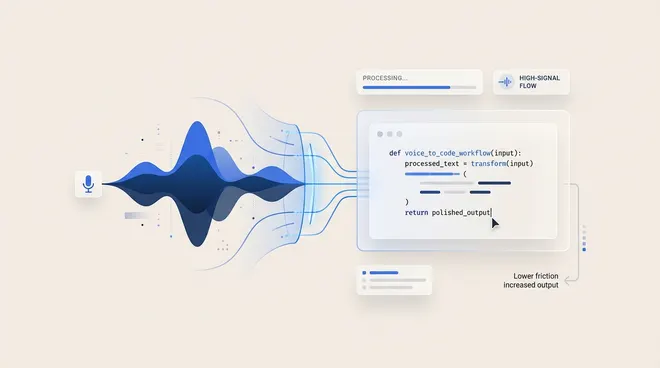
Use voice to explain the problem and the keyboard to verify exact details. A cleanup prompt can organize rough speech, but it should not invent file paths, infer permissions or silently expand the task.
This is a suggested workflow, not a measured claim that voice makes coding faster or produces better code.
Start with intent, not a perfect sentence
Before recording, open the relevant file or issue so the names are visible. Explain the observed behavior, the desired behavior and what should remain unchanged.
A rough spoken note might be:
The retry button shows up after the request fails, but pressing it twice can create duplicate work. Keep the existing layout. I want the request disabled while it is running, and a test for repeated clicks. Please check the current state handling before changing it.
That gives an agent a problem and a boundary without dictating implementation details you have not inspected.
Turn the note into a reviewable coding task
A useful structured prompt separates observations from instructions:
Observed behavior:
Repeated retry clicks can start duplicate work.

Requested change:
Prevent a new retry while the current request is running.

Constraints:
Keep the existing layout.
Inspect current state handling before changing it.
Do not modify unrelated request behavior.

Verification:
Add or update a test for repeated clicks.
Explain any assumptions that could not be verified.
This is an illustrative transformation, not a transcript from a customer or a tested fix.
A cleanup prompt that preserves scope
Use a prompt that organizes rather than invents:
Turn this dictated note into a concise coding task.
Separate observed behavior, requested changes, constraints and verification.
Preserve exact identifiers that are present.
Do not invent file paths, APIs, test results or project conventions.
Keep uncertainties as questions.
Do not add deployment, publishing or deletion instructions.
Return the structured task for review.
Utter supports custom processing instructions through AI prompts. Review the output before sending it to a coding assistant. Formatting a request does not validate its technical assumptions.
Keep precision on the keyboard
Paste file paths and identifiers from the actual project rather than asking speech recognition to guess them. Verify punctuation-sensitive text such as regular expressions, commands and configuration keys manually.
If you say “the login file,” the cleanup step should retain that uncertainty. It should not turn it into a plausible-looking path. Supplying false precision creates more work than leaving a question visible.
Test in your actual editor
Try the same note in your editor’s prompt field and a plain notes app. Check that the text lands at the intended cursor and that line breaks survive. If the shortcut conflicts with an editor command, resolve that before relying on the workflow.
Then compare the rough transcript with the cleaned prompt. Look for missing negations, expanded scope and invented requirements. The dictation evaluation guide covers correction effort and terminology tests.
Choose the processing route deliberately
A local speech model followed by cloud cleanup is not an offline workflow. If project details must stay on the device, follow the local setup guide and verify both stages.
BYOK gives control over a supported provider account, not a guarantee of local processing or free usage. Do not dictate secrets or credentials into a prompt.
When voice is not the right tool
Use the keyboard when the task is mostly exact syntax, when the environment makes speaking impractical or when correction takes longer than writing the request. Voice is an input option, not a replacement for code review or testing.
For software choices, use the dictation shortlist. Start with the workflow you need, then decide whether another tool is necessary.
Published by Utter, the product discussed on this site. Comparisons reflect our perspective as its maker, not an independent testing organization. Check linked product documentation for current pricing and availability. Send a correction.