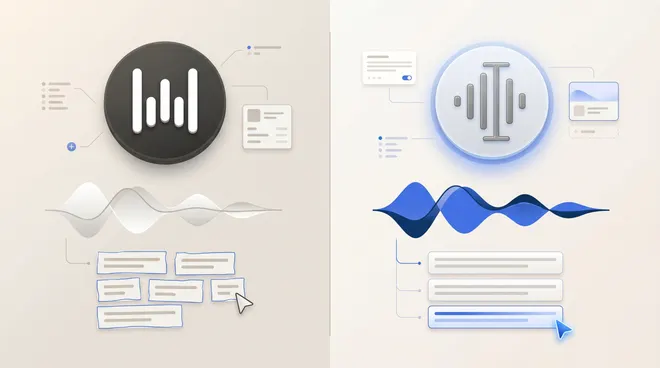
Wispr Flow vs Otter: Dictation and Meeting Notes Compared
Compare Wispr Flow's dictation and Mac Notetaker with Otter's meeting workflow, including pricing, capture, platforms and privacy checks.
Updated
TL;DR
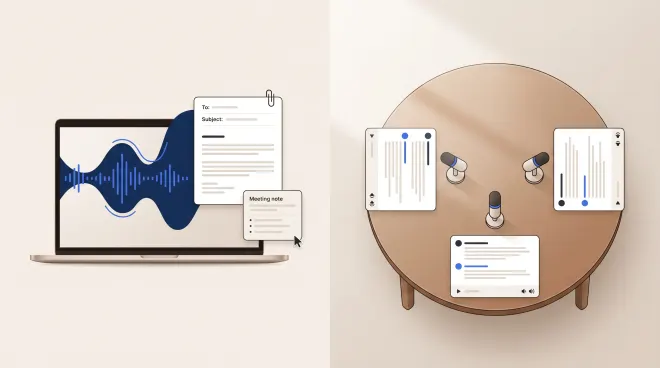
Choose Wispr Flow for writing with your voice across apps, and evaluate its Mac Notetaker if you also want meeting notes. Start with Otter when a shared meeting record, transcript review and follow-up are the main job. The overlap is real: Wispr now offers meeting notes, so “Wispr dictates; Otter records” is no longer a complete comparison.
Published by Utter, a competing voice product. This is a source-based buying guide, not an independent benchmark or a claim that either app was tested hands-on.
Dictation and meeting transcription solve different jobs
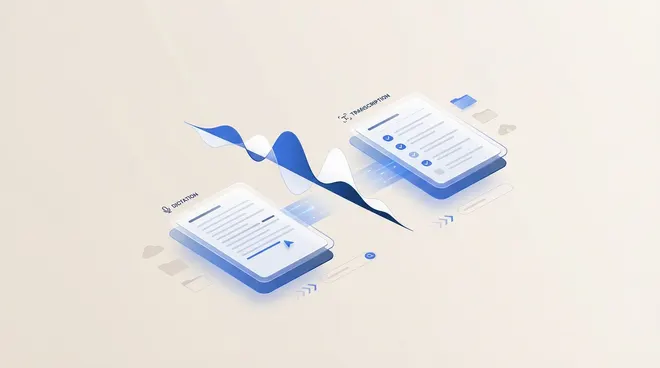
Dictation puts your spoken draft into a text field. Meeting transcription preserves a conversation for later review. A product can do both, but you should evaluate each workflow separately: a good writing shortcut does not establish speaker-label accuracy, retention controls or useful exports.
The distinction is explained in more detail in dictation versus meeting transcription.
| Requirement | Wispr Flow | Otter |
|---|---|---|
| Writing into everyday apps | Core dictation workflow | Evaluate separately from its meeting workspace |
| Meeting notes | Mac Notetaker, being rolled out | Core transcript and meeting workflow |
| Cross-device distinction | Dictation on Mac, Windows, iOS and Android; Notetaker on Mac | Check the capture route and app available for your meeting setup |
| Budget constraint | Free and Pro tiers, platform-specific dictation limits | Free and paid tiers, recording and import limits |
| Main evaluation task | Text insertion plus a sample meeting | Capture, review, sharing and follow-up |
Feature scope checked August 31, 2026 against Wispr’s plan and Notetaker FAQ and Otter’s current plans.
Wispr Flow now has a Mac Notetaker
Wispr’s pricing FAQ describes meeting notes with speaker identification, questions across meetings and access from other AI tools. It says capture is bot-free and that Notetaker availability is rolling out. These are vendor-described capabilities, not measured results. Wispr Flow pricing and FAQ.
Before buying for a meeting workflow, confirm the feature is enabled for your account. Do not assume that Windows or phone dictation means Notetaker is available on those platforms too.
For someone whose day alternates between writing messages and reviewing calls, the attraction is a combined subscription. The unanswered question is whether the meeting output fits the team’s workflow: can the right people find the right passage, check the speaker and turn it into an accurate follow-up?
Otter: evaluate the meeting record, not only the summary
Otter’s plans emphasize transcription allowances, meeting workflows, file imports, search and exports. Those are useful comparison dimensions when a conversation needs to become a shared record. Otter plans.
A readable summary is only the beginning. Check whether you can find the underlying wording for a decision, repair a speaker mistake and share the result with the intended audience. If an action item omits a condition, the summary can look helpful while misrepresenting the conversation.
The practical tradeoff is another workspace and its rules for capture, access and retention. That may be exactly what a team needs, but it is different from inserting a sentence directly into the app you already use.
Pricing: compare minutes, meetings and writing limits
Wispr Pro is listed at $15/user/month, or $12/user/month billed annually. Free dictation limits differ by platform; Notetaker has meeting and retention limits. Verify the actual allowance for your account. Wispr pricing, checked August 31, 2026.
Otter Pro shows $16.99/user/month, alongside an annual-billing promotional equivalent of $8.49/user/month on the reviewed page. The displayed offer and allowances may change. Compare the renewal and billing terms, not just the discounted headline. Otter pricing, checked August 31, 2026.
Make a list of your recurring recordings, their length and how often you import existing files. Then check the plan limits directly. Neither an unlimited-dictation claim nor a recording-minute allowance tells you how long meeting notes are kept or which exports are included.
Bot-free does not mean offline or permission-free
A bot describes how a meeting is joined. It does not tell you where recognition runs, whether audio is uploaded or how long content is retained. Review the Wispr privacy information and Otter privacy policy, including your account’s sharing and training settings.
Tell participants when a conversation is being recorded and follow the policies that apply to your workplace. For sensitive conversations, get the relevant organizational review before enabling a recorder. This is a workflow precaution, not legal or compliance certification.
The meeting platform has its own recording controls. Read Zoom’s recording guide or Teams recording policies. These controls are separate from the transcription vendor’s policy. Confirm the capture method with your administrator.
A useful trial protocol
Use a short, consented sample meeting rather than a confidential production call. Include interruptions, a corrected date, a decision that remains conditional and an action assigned to a named person.
- Check the transcript before reading the summary.
- Repair an incorrect speaker and see whether the change is reflected downstream.
- Ask a question whose answer depends on a qualification, not a simple keyword.
- Export or share the note in the way your team normally works.
- Review permissions and delete the test recording when finished.
Separately, dictate a message into your email client with Wispr. That shows whether you value its writing workflow in addition to meeting notes. Suggested tests are not performance results.
Buyer-fit decision
| Your main job | Start by evaluating |
|---|---|
| Drafting emails, prompts and messages by voice | Wispr Flow dictation |
| Mac writing plus occasional meeting notes | Wispr dictation and the available Notetaker rollout |
| A shared meeting transcript and follow-up workflow | Otter’s capture, sharing and export path |
| Strict offline processing | A documented local setup rather than a bot-free claim |
For the final requirement, Utter documents an offline setup with separate transcription and cleanup choices. That is another option, not a claim that Utter replaces every team meeting platform. See Utter vs Wispr Flow for that direct comparison.
FAQ
Is Wispr Flow an Otter alternative now?
For some Mac meeting-note workflows, it may be. Confirm rollout access, capture behavior and plan limits first. For everyday dictation, the comparison remains a different task from Otter’s meeting workspace.
Which has better meeting accuracy?
This article does not establish an accuracy winner. Use a sample with the same speakers, microphone and noise conditions, and check speaker attribution as well as words.
Can one app replace both tools?
Possibly, if its writing and meeting workflows both pass your tests. A combined feature list alone is not evidence that either workflow meets your requirements.
Methodology
Official plans and policies were reviewed August 31, 2026. Recommendations are editorial interpretations of the documented scope, with rollout and pricing uncertainty stated explicitly. No fabricated test scores, testimonials or unsupported absence-of-feature claims are used. The broader software shortlist covers additional options.
Published by Utter, the product discussed on this site. Comparisons reflect our perspective as its maker, not an independent testing organization. Check linked product documentation for current pricing and availability. Send a correction.